
What Our Landlord Portal Can Do for You
The landlord portal in Padmission Journey is a powerful, secure online platform designed for property owners and managers partnering with HOM. The landlord portal empowers property owners and managers with streamlined tools to manage their properties effectively while participating in housing assistance programs.
This blog provides an overview of the landlord portal’s capabilities, highlighting how it equips you with essential resources to monitor payments, resolve issues, and maintain compliance — all while prioritizing tenant privacy and data security.
What is the Landlord Portal?
The landlord portal is a specialized portal granting property owners and management companies limited, secure access to view their properties, upload required documents, monitor payment statuses and perform targeted actions. Tailored for landlords partnering with HOM, it facilitates active participation in housing assistance programs by offering transparency into payments, tenancies, and compliance tasks.
Key benefits include resolving payment holds efficiently, tracking financial transactions and managing organizational contacts, all of which help maximize property revenue and operational clarity. Unlike HOM’s internal Journey application, the landlord portal is intentionally limited to ensure data integrity and focus on landlord-specific needs, making it an indispensable tool for your partnership with HOM.
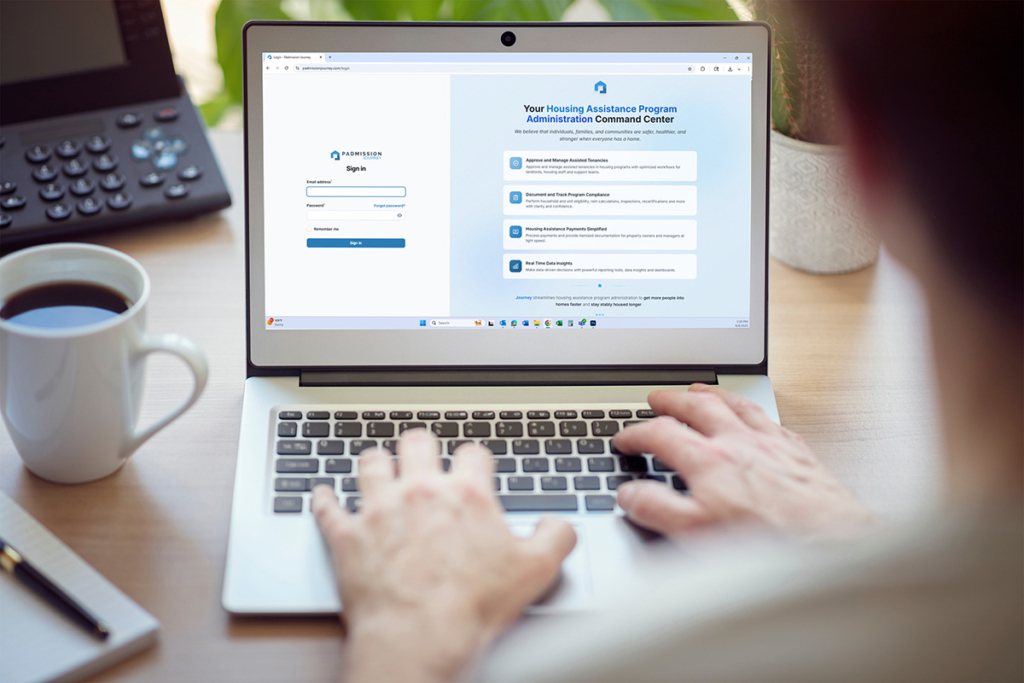
Padmission Journey allows you to manage your properties effectively while participating in housing assistance programs.
How to Access the Landlord Portal
Access to the landlord portal is currently available to property owners and managers partnering with HOM. To ensure security and verify partnership eligibility, access is granted through an email verification process.
Follow these steps to get started:
- Request access: Send an email to landlordsupport@hominc.com requesting access to the landlord portal. Include your name, organization, and contact information so the support team can verify your partnership details.
- Receive your access link: Once your request has been reviewed, you will receive an email containing a secure, personalized link to the portal.
- Confirm within 72 hours: You must confirm your access by clicking the link within 72 hours of receiving it. If the link expires, you’ll need to request a new one by emailing landlordsupport@hominc.com again.
- Log in and set up your account: After confirming, follow the on-screen prompts to set up your password and complete your initial account setup. Once this step is done, you can begin exploring your dashboard, uploading documents, and managing your properties securely.
If you encounter any issues during registration or login, contact landlordsupport@hominc.com for technical support or troubleshooting assistance.
Video Tutorials
We’ve created a series of tutorial videos that walk you through various aspects of our landlord portal. Please click on a link below to watch these short, informative videos.
Key Features of the Landlord Portal
The landlord portal offers a suite of features designed to streamline property management tasks while maintaining strict privacy and security standards. Below is an overview of its core components.
Dashboard
The dashboard provides a centralized view of key metrics, enabling efficient management of your partnering tenancy. These include:
- Tenancy statistics, including active tenancies, occupancy rates, average Housing Assistance Payments
- Current hold information such as active holds and pending documents
- Transaction trends like total and monthly HAP payments
Quick-action links enable you to address urgent tasks like viewing holds, uploading documents, or managing contacts. Notifications alert you to critical issues (e.g., payment holds, expiring documents) and routine updates (e.g., payment confirmations).
Performance metrics, such as monthly revenue and occupancy rates, offer portfolio insights. You can customize widget order and date ranges, with a mobile-responsive design ensuring live access on the go. Data refreshes in real-time for holds and daily for statistics, with robust security like data masking and session timeouts protecting your information.
Properties
In the Properties section, you can view all properties you own or manage, with details like name, address, unit count, and assisted tenancies. Search, filter and sort functions simplify navigation. Selecting a property reveals tabs for:
- Property information (ownership, payment status)
- Current tenancies (lease dates, rent breakdowns with tenant portions and HAP)
- Units (size, accessibility features)
- Transaction history
- Contacts
- Document center
Contacts Management
The Contacts feature lets you manage user access within your organization. Admins have full access to all properties, tenancies, transactions, and document management, while Members are restricted to assigned properties. Contacts are tied to property owners, management companies, or ownership groups, determining their access scope. You can add contacts, send email invitations (valid for 72 hours), assign properties to Members, edit details, or deactivate accounts.
Security measures include strong password requirements, session timeouts, and audit logging.
Payment Holds
The Holds section is currently under construction. Once fully functional, this section will show holds you can help resolve — such as those requiring documentation (e.g., W-9s, insurance certificates), lease corrections or payment account details (e.g., bank info for ACH). You’ll be able to upload documents or enter information directly, with clear status indicators (active, pending, action required). Holds that require agency-only action (e.g., failed inspections, recertifications) will remain visible but not editable, ensuring compliance while helping you address payment delays promptly.
Document Management
The File Manager centralizes document access across your properties, allowing filtering by type, status, or property. Upload documents via the Property Document Center, Holds section, or entity pages, using PDF/image formats (100MB max). Status indicators show approved (green checkmark), pending (clock), rejected (red X), or expiring documents.
Agency review is mandatory, with notifications for decisions and rejection reasons. You cannot approve, delete, or edit documents post-submission, ensuring data security. Common documents include leases, W-9s and licenses, all requiring clarity and proper signatures.
Tenancies
The Tenancies section provides limited, privacy-focused information about assisted households, including identifiers, property/unit details, lease dates, rent breakdowns (contract rent, HAP, URP) and status (active, pending, under review). Filters help you sort by status, property, or payment amounts. In this section, you can select a tenant to see all files and transactions directly related to that tenancy specific tenancy. Personal details like names, SSNs, or income are hidden, with only operational data visible.
Viewable documents include leases and inspection reports, while transaction history tracks payments. Special statuses (e.g., recertification, move-out) provide clarity on tenancy changes, supporting effective management within privacy constraints.
Inspections
The Inspections section provides read-only access to inspection details. You can view inspection types (Initial, Annual, Special, Move Out, and Quality Control), dates, property and unit information, status, and basic results. Images are available when permitted.
Filtering and sorting tools help you organize inspections by type, date, status, or other criteria. This makes it easier to find what you need.
Household personal data, detailed reports, and agency notes remain hidden to protect privacy. You stay informed without compromising security.
Transactions
The Transactions section lists financial details like HAP, security deposits, and URP, with filters for date, type, property, or status. Status indicators (pending, paid, held) use color coding for clarity. Details include payment dates, amounts with reference numbers, masked account info, and hold links. ACH payments process in 5-10 days, checks in 7-14 days.
Access, Limitations, Privacy and Security
You can view properties, upload documents, resolve certain holds, check transactions, and manage contacts, but you cannot approve documents, edit property/tenancy data, view household personal info (e.g., SSNs, income), remove holds, or access unassigned properties.
Privacy protections ensure tenant data is secure, with agency verification required before sharing operational details. Security features include encryption, audit logging, role-based access and identity checks, balancing usability with compliance and data integrity.
Support Issues
Common issues include property visibility (verify ownership/assignments), document upload failures (check formats/size), hold delays (awaiting agency review), or payment discrepancies (adjustments, holds). Agency staff oversee approvals and edits, ensuring compliance.
If you encounter any errors or notice that something isn’t working as expected, please let us know so we can address the issue, provide technical assistance, and continue improving the landlord portal experience.
How the Landlord Portal Supports You
Padmission’s landlord portal is more than just a management tool — it’s a gateway to a more efficient, transparent, and collaborative housing partnership. By centralizing communication, payments, and documentation, the portal empowers landlords and property managers to focus on what matters most: maintaining stable, high-quality housing for Arizona residents.
Ready to get started? Email landlordsupport@hominc.com to request access and take the next step toward a smarter, more connected partnership with HOM.